
Coinsnap plugin for Gravity Forms
Accept Bitcoin and Lightning payments with Gravity Forms. How to integrate Bitcoin and Lightning payments in Gravity Forms.
Gravity Forms is a WordPress plugin that enables the creation and management of forms on WordPress websites.
With Gravity Forms, users can create custom forms to collect feedback, receive contact messages, conduct surveys, accept payments and much more.
It offers a user-friendly interface for creating and customizing forms as well as advanced features such as integration with payment gateways, email marketing tools and CRM systems.
Would you like to give your visitors the option to make payments directly via your WordPress forms?
Gravity Forms makes it easy for you to accept payments on your website via PayPal, Stripe, Square, Mollie or Authorize.Net.
With Coinsnap for Gravity Forms you can also accept payments via Bitcoin and Lightning.
A Pro or Elite license is required to accept payments via Gravity Forms.

With Coinsnap for Gravity Forms, the contact form can be extended to a payment form. In this way, a donation page can be created via which visitors to the website can donate. However, it is also possible to create a payment button, e.g. to offer files for download against payment in Bitcoin.
Gravity Forms Demo Store
If you would like to try out for yourself how you can accept Bitcoin and Lightning with the help of Gravity Forms, then visit our Gravity Forms demo page at this link.
Contact form
After successfully installing and configuring the Coinsnap plugin for Gravity Forms habs vier, you have the opportunity to explore our demo store and test its functionalities.




Payment
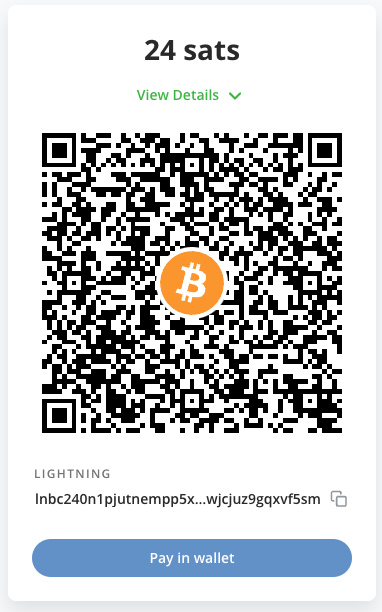
The customer is taken to the payment page and can pay with Bitcoin or Lightning.
Gravity Forms for WordPress
You must have Gravity Forms running on your WordPress site. You need the Gravity Forms Pro or Elite version, which you can buy from the Gravity Forms website.

Installation Coinsnap for Gravity Forms
The Coinsnap for Gravity Forms plugin can be downloaded from the Coinsnap GitHub page. We have also applied for inclusion in the WordPress directory. Until then, installation is only possible via GitHub.
You can download the Coinsnap for Gravity Forms plugin from the Coinsnap Github page and install it on your WordPress site.
Visit the Coinsnap Github page. There you will find all the payment modules provided by Coinsnap. Go to Coinsnap for Gravity Forms
There you will find the green button labeled Code. When you click on it, the menu opens and Download ZIP appears. Here you can download the latest version of the Coinsnap plugin to your computer.
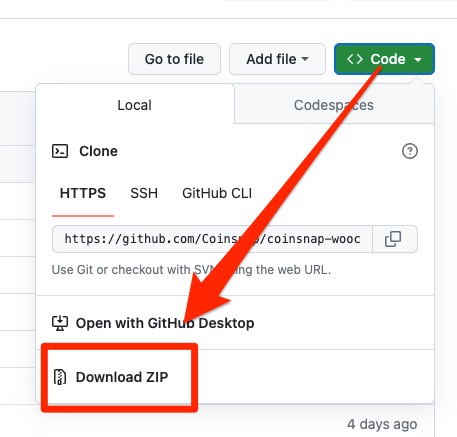

Then use the “Upload plugin” function to install it. Click on “Install now” and the Coinsnap for Gravity Forms plugin will be added to your WordPress website. It can then be connected to the Coinsnap payment gateway.
Once the Coinsnap for Gravity Forms plugin is installed and activated, a message will appear asking you to configure the plugin settings
Configuring Coinsnap for Gravity Forms
After Coinsnap for Gravity Forms has been installed, the plugin must be activated.
In the left menu bar, open Gravity Forms and click on Settings.
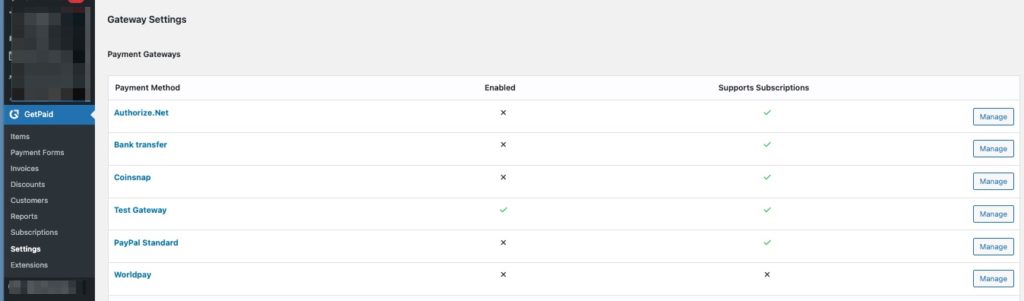
Under Settings we find the Payment Gateways item in the top menu bar and below it the list of all Gravity Forms payment gateways and now also Coinsnap.
We click on Manage and can only make the individual settings.
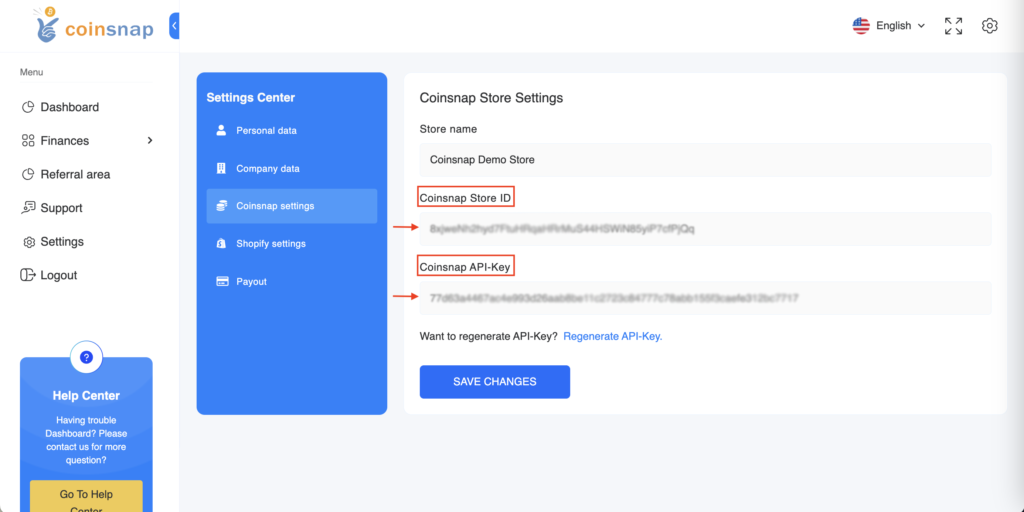
First we need the store ID and the API key from Coinsnap. To do this, we log in to Coinsnap and go to the Setting section.
If you don’t have a Coinsnap account yet, you can create one here.
All you need is an email address and a Lightning Wallet with a Lightning address. You can find out how to create a Coinsnap account under First steps.
In the Store Settings sub-item, we find the Store ID and API Key details. We need this information because both details must be stored with GetPaid.
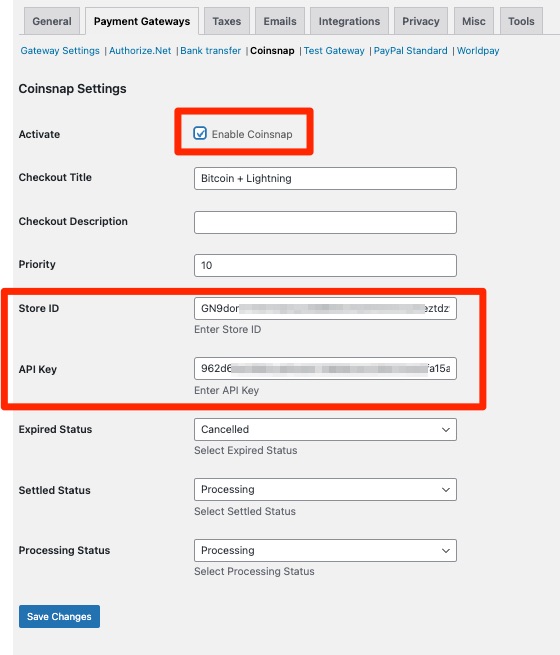
Under Activate, we check the box to activate Coinsnap as a payment gateway.
In the Store ID and API Key fields, we enter the data that we have just copied from the Coinsnap Store Settings.
We then save the stored data.
Coinsnap for Gravity Forms makes it easy to store the Coinsnap Bitcoin Payment Gateway with Gravity Forms. Your customers can now pay with Bitcoin and Lightning at Gravity Forms.